
Payment via Invoice
FREE
Get
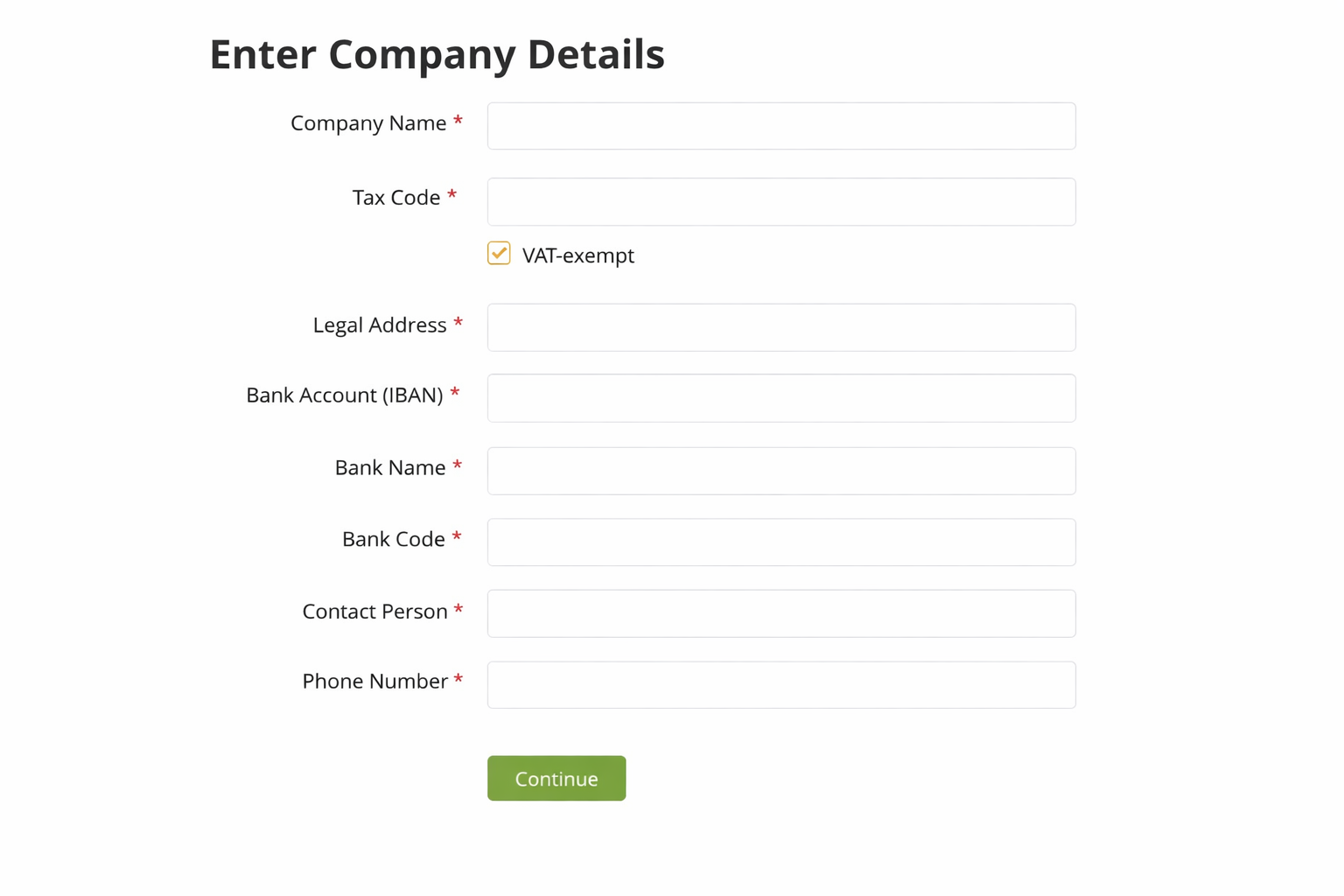
The add-on provides a manual payment method via a PDF Invoice. The invoice includes the invoice ID, the services being paid for or account top-up, as well as the recipient’s payment details. After selecting this payment method, the user must also enter their own billing details on the next step (see screenshot below). If the user pays this way again, the previously entered details are filled in automatically.
The administrator verifies that the funds have been received in the account specified in the payment details and manually changes the status of these invoices in the «Payments / Transaction list» section to «Completed».
You can configure the recipient’s payment details and add extra explanatory text.
| Category: | Payment System |
| Current version: | 5.0.0 |
| Updated: | 16.08.2026 |
| Developer: | Tamaranga |
| Compatibility: |
 AMP 3.5.0+
 RP 3.3.0+
 CP 3.1.5+
 MP 3.1.5+
|
Other add-ons from this category

Shopping Cart
FREE
Lets users add items to the cart before placing an order, and set the quantity when the item supports quantities. The cart can include items from different sellers.
Monetization

Additional order fields
$230
Order fields filled in by the buyer during checkout.
Transactions

Transactions in Orders
FREE
Monetization plugin for transactions (order payments) between sellers and buyers
Monetization, Transactions

Transactions: Cash payment
$90
Cash payment for the transaction model.
Monetization, Transactions

Loan Calculator
$320
A convenient loan calculator that lets you set up lending programs, calculate the monthly payment, and accept applications directly on your website.

Make an offer
$90
The “Make an offer” add-on lets a buyer propose their own price to the listing author and leave a phone number for contact.
Listings, Miscellaneous