
Loan Calculator
The loan calculator module lets users quickly calculate loan terms and submit an application directly through the website interface on the listing page.
Creating and managing loan programs
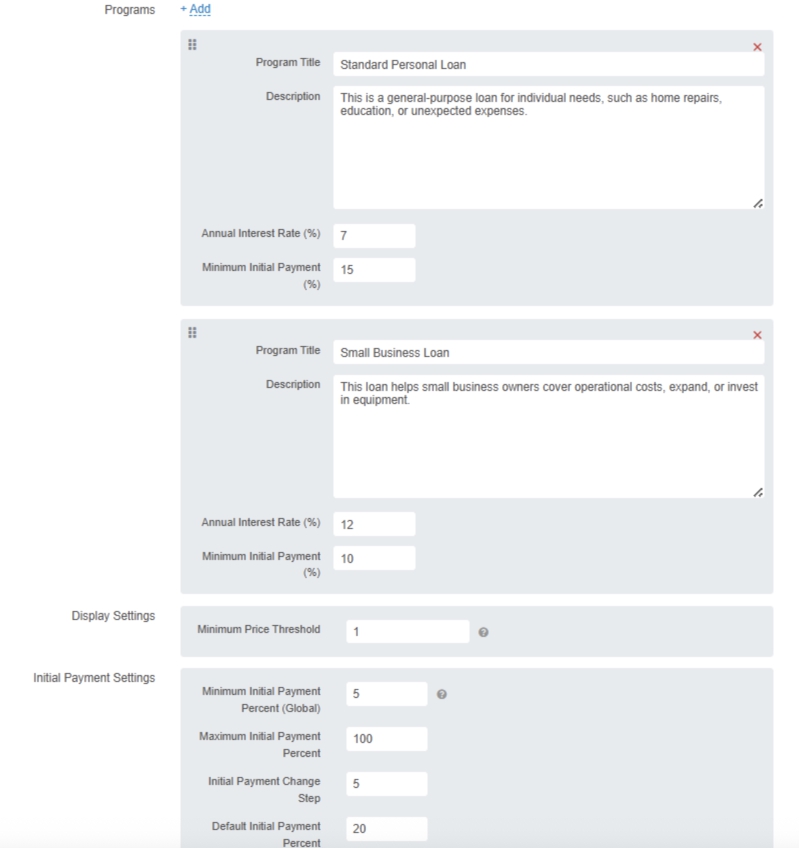
An administrator can create different loan programs, configure calculation settings, and manage how the calculator is displayed. The number of programs is unlimited, and each program includes:
- name;
- description;
- annual interest rate;
- minimum down payment.
All programs are automatically shown on the listing page. You can enable the calculator at the listing category level (with inheritance) as well as for individual companies. If programs are configured for a company, they will appear on the page for all of that company’s listings.
Interactive loan calculator for users
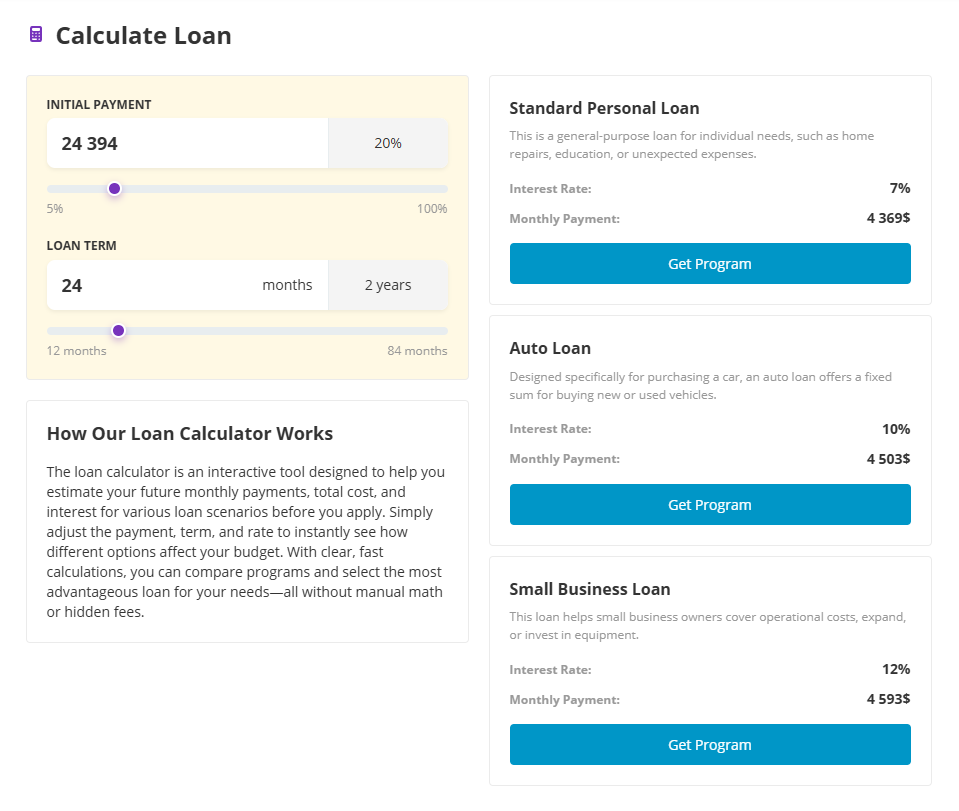
Users get a simple form where they can choose the down payment amount and the loan term.
The calculator recalculates the monthly payment for each program and shows the options in clear cards. The lowest possible monthly payment is also shown next to the price on the listing details page and in search results next to the price.
Submitting loan applications
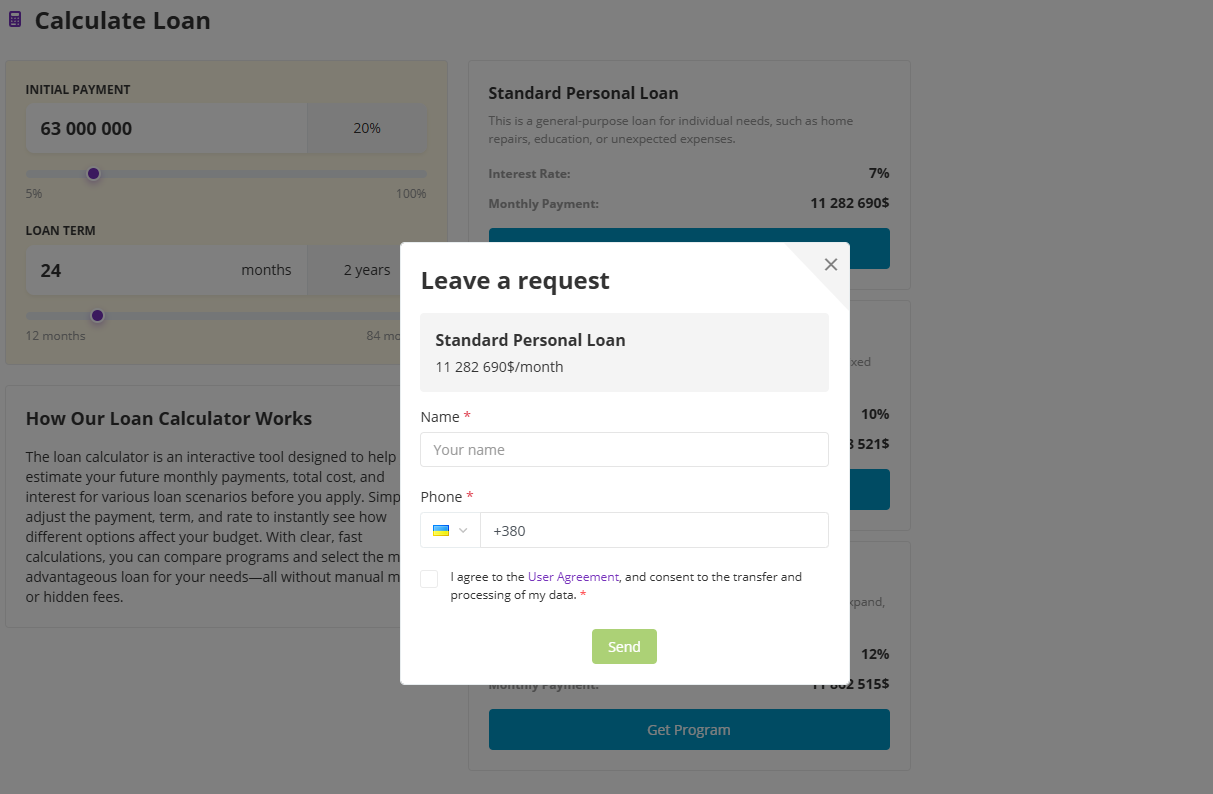
Each program includes a «Get program» button that opens an application form with the selected plan and the calculated monthly payment. In the application, the user enters contact details, and the request is then sent to the admin panel or to the company for processing.
Detailed instructions for the available settings are included.
| Current version: | 5.0.2 |
| Updated: | 06.10.2026 |
| Developer: | Tamaranga |
| Compatibility: |
 AMP 3.8.8+
 RP 3.8.8+
 MP 3.8.8+
 CP 3.8.8+
|


